BP9 Real Money Casino iOS App Download for iPhone
BP9 is one of the few iOS casino apps for real money built for Malaysian players, and it installs from the App Store, just not the way most people expect. The app is listed under a different name, you reach it through a direct link, and one permission prompt decides whether it opens BP9 at all. Here is the full process as it works today.
Last verified: 1 October 2026 on iPhone 16 (iOS 26.x). App Store listing name at last check: Hangout Party.

BP9
Real money casino app, Malaysia
Open this page in Safari. Installs through BP9’s direct App Store link.
Why can’t you find BP9 by searching the App Store?
BP9 is not listed in the App Store under its own name in Malaysia. Instead, BP9 provides a direct link to an App Store listing with a different name. Once installed and opened with the right permission, that app takes you into BP9.
This is why guides telling you to search “BP9” in the App Store no longer work. Searching the listing name will not reliably find it either, because the link carries the handoff details. Always start from the button on this page.
How do you download the BP9 real money casino iOS app?
Five taps, about two minutes. Do it in Safari, not inside Telegram, Facebook or Instagram.
-
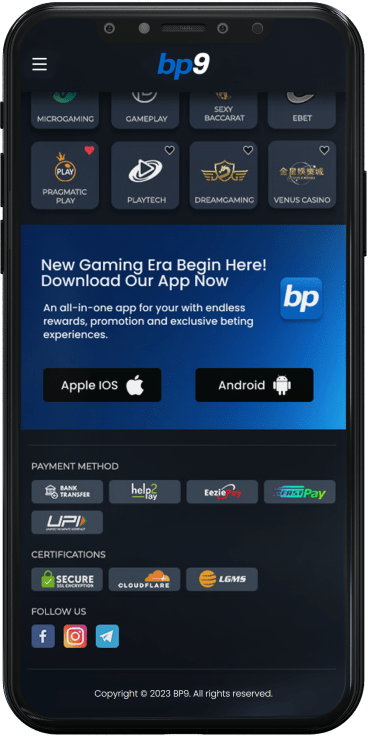
Tap Get the iOS App
Open this page in Safari and tap Get the iOS App. BP9’s site opens with the iOS option.
-
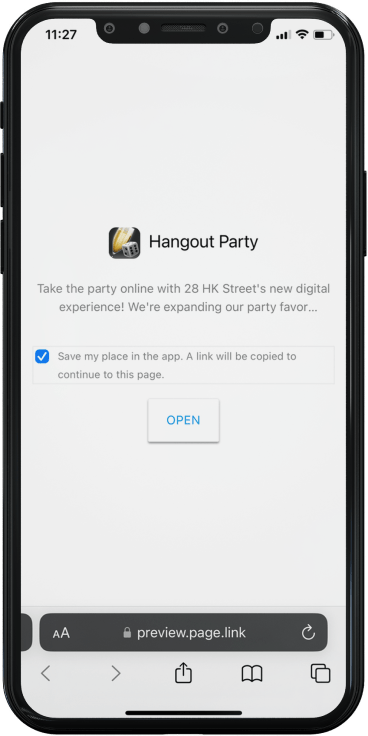
Open the preview
An app preview opens in a new tab. Tap Open to continue to the App Store.
-
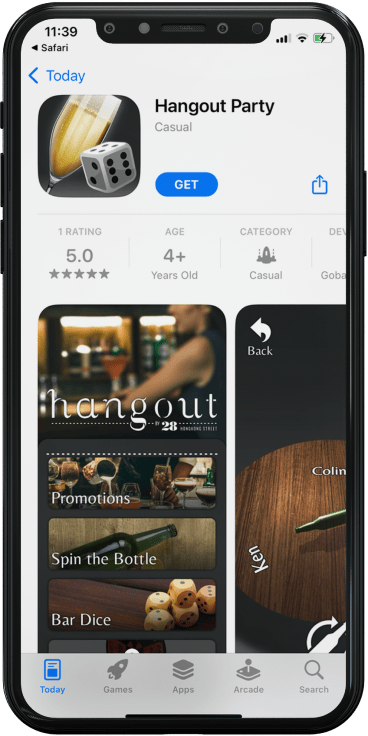
Tap Get
The App Store shows the listing under a different name. Tap Get and confirm with Face ID, Touch ID or your Apple ID password.
-
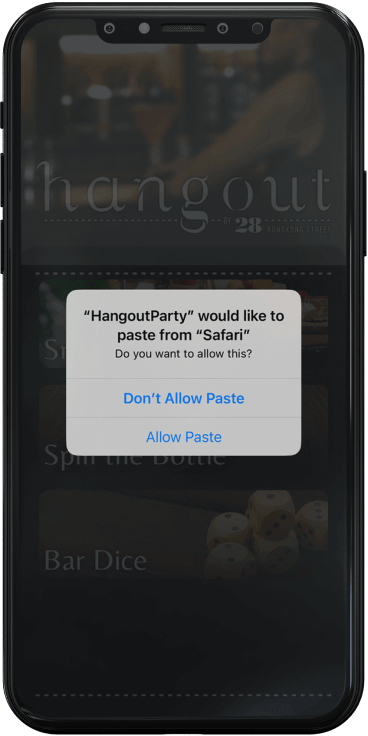
Allow Paste
Open the app. When iOS asks to paste from Safari, tap Allow Paste.
-
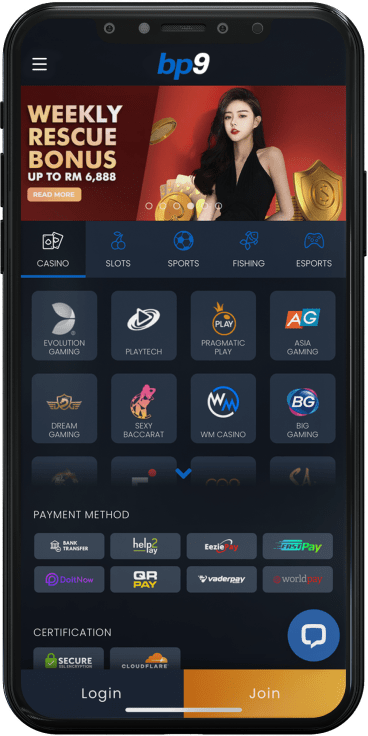
Log in
BP9 loads. Log in with your username and password, or register inside the app.
On Android instead? Use the BP9 APK guide. Once the app is in, log in to BP9 with your usual details.
Get the iOS AppWhat does “Allow Paste” actually do?
When you tap the iOS button, BP9’s site copies a short link to your clipboard. The app reads that link the first time it opens, which is how it knows to load BP9 rather than its own front screen. It is a one-time handoff, not ongoing access to your clipboard.
If you tapped Don’t Allow Paste by mistake, open Settings, scroll down to the app, tap Paste from Other Apps and set it to Ask or Allow. Then come back to this page, tap the iOS button again so the link is copied fresh, and reopen the app.
What if the App Store listing disappears?
Listings like this are sometimes removed and replaced under a new name. When that happens, BP9 updates its link and we update this page. If the button leads to an App Store error, check the “Last verified” date at the top first.
While you wait, BP9 works in Safari. Add it to your home screen and you get an icon that opens BP9 full screen, close to the app experience.
- Open BP9’s site in Safari
- Tap the Share icon
- Tap Add to Home Screen
Why won’t the BP9 iOS app open?
Find what you are seeing on the left, and the fix is on the right.
-
Can’t find BP9 or the listing by searching
Expected. Use the direct link on this page.
-
App opens to a different app’s screen, not BP9
The paste handoff did not happen. Allow Paste in Settings (see above), tap the iOS button again, then reopen the app.
-
Nothing happens after Allow Paste
Close the app fully, tap the iOS button on this page again in Safari, then reopen.
-
The button opens inside Telegram, Facebook or Instagram
In-app browsers cannot hand off correctly. Copy this page’s link into Safari and start again.
-
App Store says the app is unavailable
The listing may have changed. Check the date at the top of this page, or use Add to Home Screen meanwhile.
-
“Cannot connect” inside the app
Switch between Wi-Fi and mobile data, turn off any VPN or content blocker, then retry.
Still stuck at the login screen? Our BP9 login help covers passwords and account errors. For everything else about the app, go back to the BP9 app download hub.
Get the iOS AppFrequently asked questions
Is BP9 a real money casino iOS app?
Yes. It is BP9’s iPhone app for real money play in Malaysia, with balances in MYR and local deposit and withdrawal methods.
Is the BP9 iOS app on the App Store?
Yes, but under a different listing name and only reachable through BP9’s direct link. Searching “BP9” will not find it.
Do I need to install a profile or jailbreak my iPhone?
No. The app installs from the App Store like any other app. Be wary of any site asking you to install a configuration profile.
Does it work on iPad?
Yes, on iPads running iPadOS 12 or newer. The steps are the same.
Why does the app have a different name and icon?
That is the listing BP9 uses on the App Store. After the Allow Paste handoff, the app opens BP9 each time.
Will my account work on both iPhone and Android?
Yes. Your BP9 account works on any device, so you can log in on a new phone without registering again.